
SOLIDWORKS C# API - Edit Solidworks Feature Sketch
I want to:
-
Edit Feature Sketch into Solidworks Part Document using Solidworks C# API
-
We will use same code from previous article 🚀 Edit Solidworks Sketch.
-
Extend article by adding Solidworks C# API to previous code.
Demo Video
Please see below video on how to “Edit Feature Sketch into Solidworks Part Document” using Solidworks C# API from WPF Application.
Edit Feature Sketch into Solidworks Part Document
Please note that there are no explanations in the video.
Explanation of each step and why we write the code this way is provided in this post.
Update Method - SelectSketch
In this section, we update SelectSketch method for selecting Feature Sketch.
Please see below 👇🏻 image for sketch we want to edit.
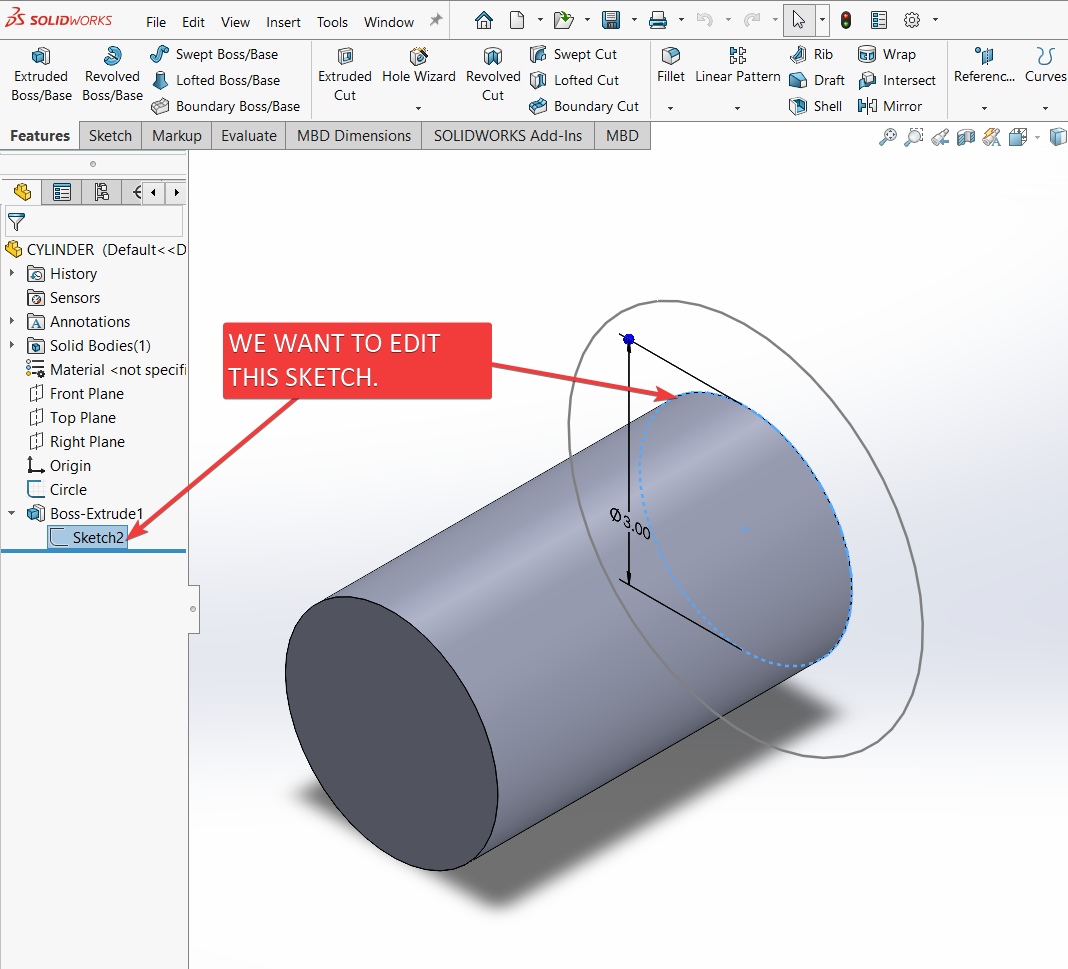
For editing we need to update below 👇🏻 line.
bool isSelect = swDoc?.Extension.SelectByID2(
    "Circle",
    "SKETCH",
    0, 0, 0,
    false,
    4,
    null,
    (int)swSelectOption_e.swSelectOptionDefault
) ?? false;
In above code, we need to replace “Circle” with “Sketch2” value.
Please see below 👇🏻 image for value we required.
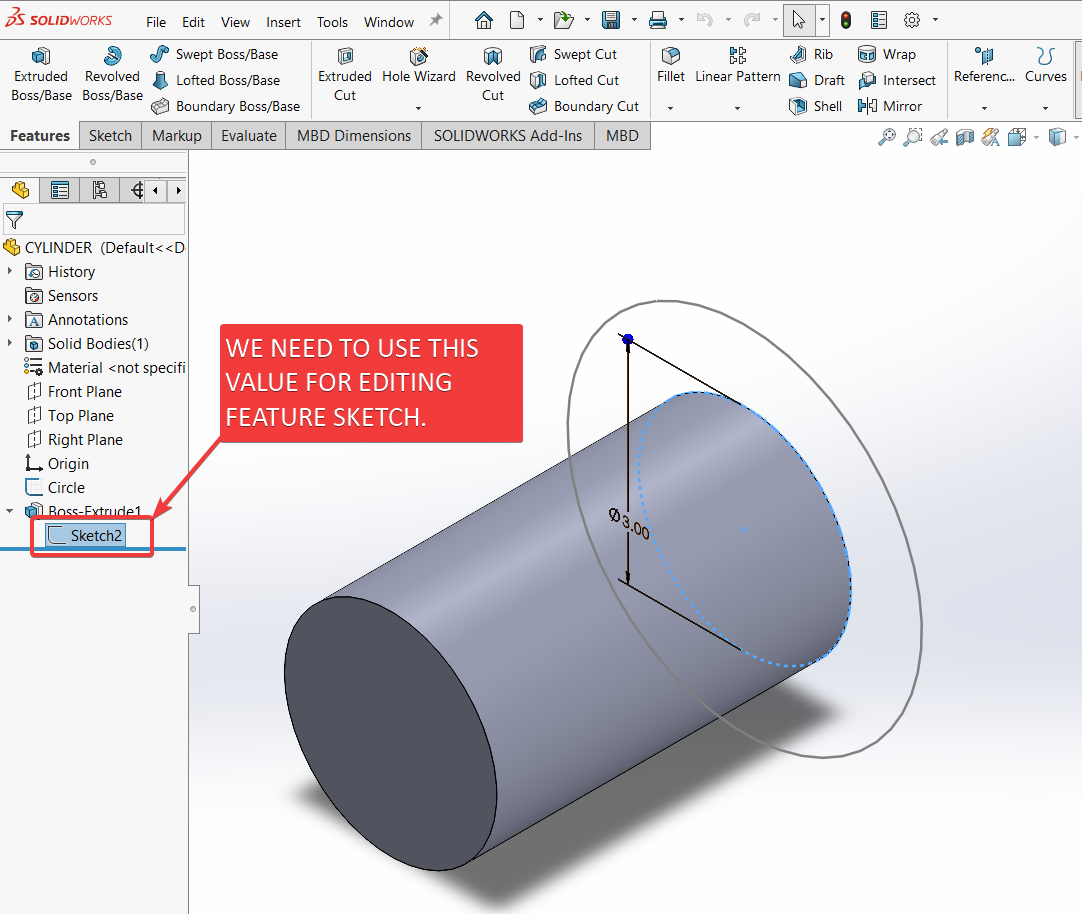
After updating SelectSketch method will look like below.
private bool SelectSketch()
{
    swDoc = null;
    swDoc = swApp.ActiveDoc;

    bool isSelect = swDoc?.Extension.SelectByID2(
        "Sketch2",
        "SKETCH",
        0, 0, 0,
        false,
        4,
        null,
        (int)swSelectOption_e.swSelectOptionDefault
    ) ?? false;

    return isSelect;
}
FINAL RESULT
For Demo, we already had feature whose sketch we want to edit with our program.
Please see below 👇🏻 image for reference.
Now, we have done everything needed to Edit Solidwork Feature Sketch into Solidworks Document through our application.
Please see below image for final result of our work.
- Edit Sketch with
ExecuteEditSketchMethod()method
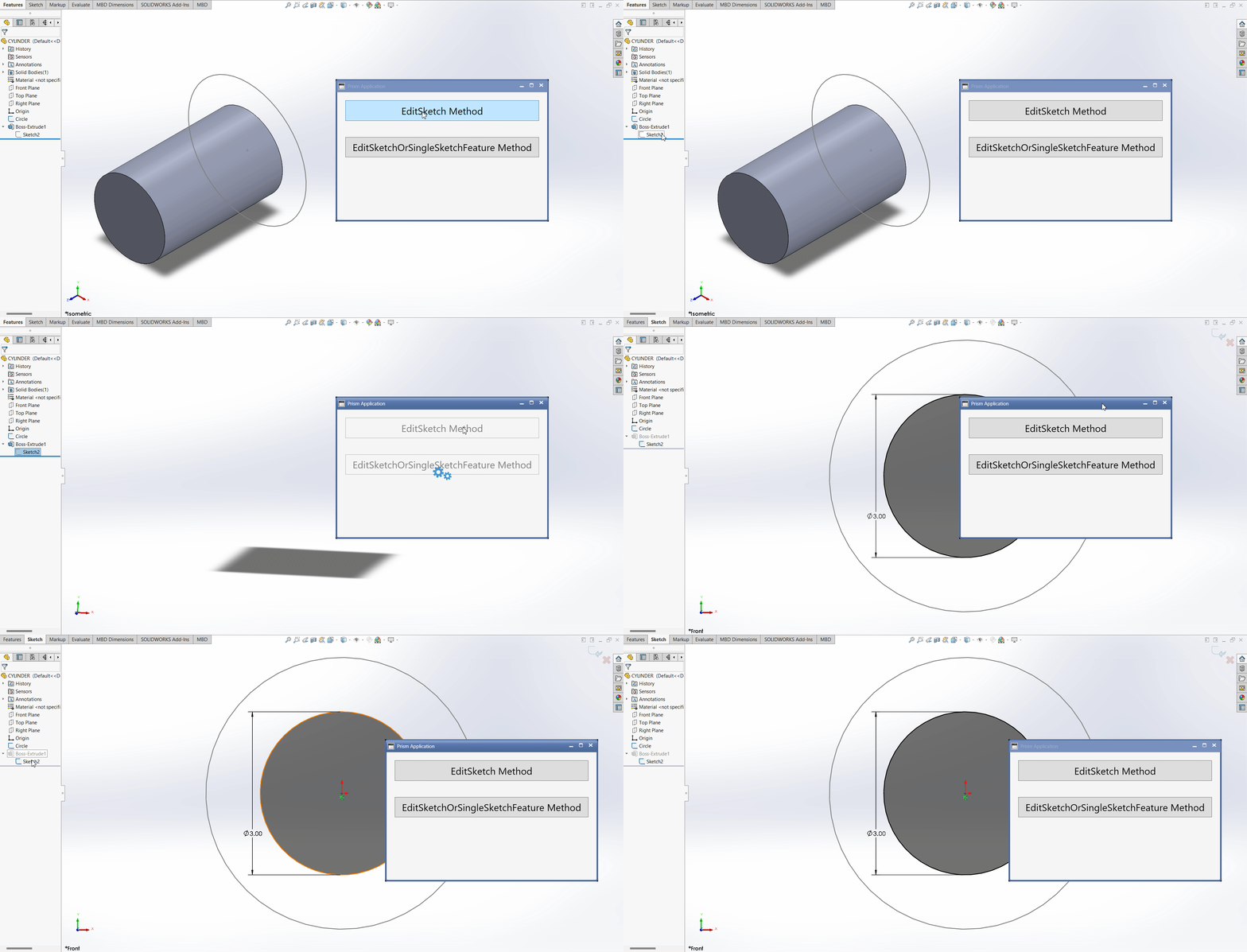
- Edit Sketch with
ExecuteEditSketchOrSingleSketchFeatureMethod()method
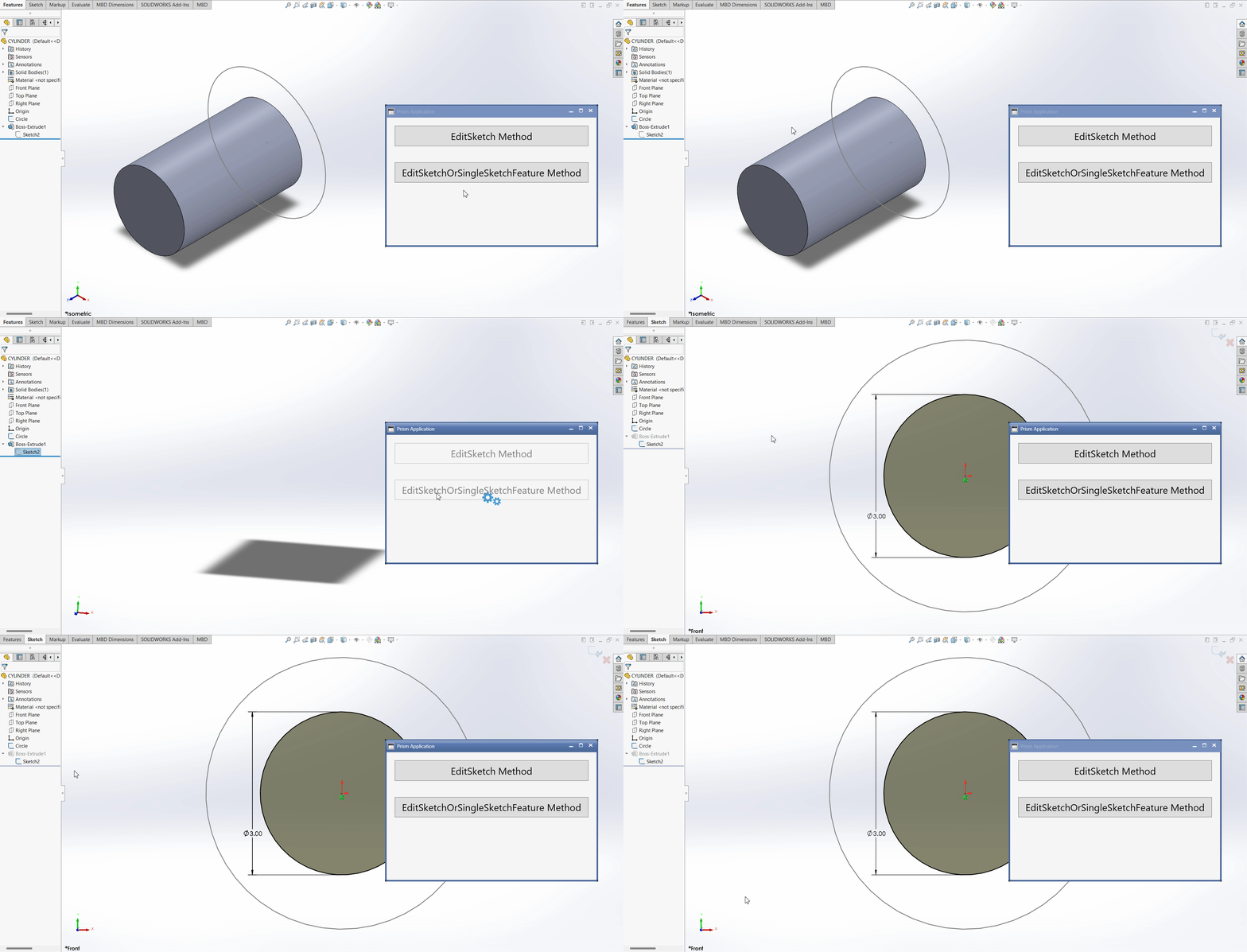
This is it !!!
I hope my efforts will helpful to someone!
If you found anything to add or update, please let me know on my e-mail.
Hope this post helps you to Edit Solidworks Sketch from WPF PRISM Application.
If you like the post then please share it with your friends also.
Do let me know by you like this post or not!
Till then, Happy learning!!!