
Building CAD Copilot - Create a new document using natural language
This article introduces CAD Copilot, an experimental SolidWorks add-in that uses natural language to control CAD operations.
It covers the motivation behind the project, the core concept, and the goals for the first working prototype.
Introduction
Over the past few years, Artificial Intelligence has changed the way we interact with software.
Instead of learning commands, menus, and workflows, users can simply describe what they want in natural language and allow AI to translate those requests into actions.
While experimenting with AI tools, I started wondering:
Could the same approach be applied to SolidWorks?
This question eventually became the starting point for a small project called CAD Copilot.
The Question
Traditionally, users interact with SolidWorks through menus, toolbars, command managers, keyboard shortcuts, and property managers.
While these interfaces are powerful, they also require users to learn where commands are located and how they should be used.
What if a user could simply type:
Create a new part document
or
Create a new assembly document
and have SolidWorks perform the action automatically?
This was the question I wanted to explore.
What is CAD Copilot?
CAD Copilot is an experimental SolidWorks add-in that combines Artificial Intelligence with the SolidWorks API.
The idea is simple:
Natural Language
        ↓
       AI
        ↓
SolidWorks Command
        ↓
SolidWorks Action
The add-in accepts natural language input, sends it to an AI model for interpretation, and then executes the corresponding SolidWorks command.
At the time of writing, the prototype can create:
- Part documents
- Assembly documents
- Drawing documents
using natural language commands.
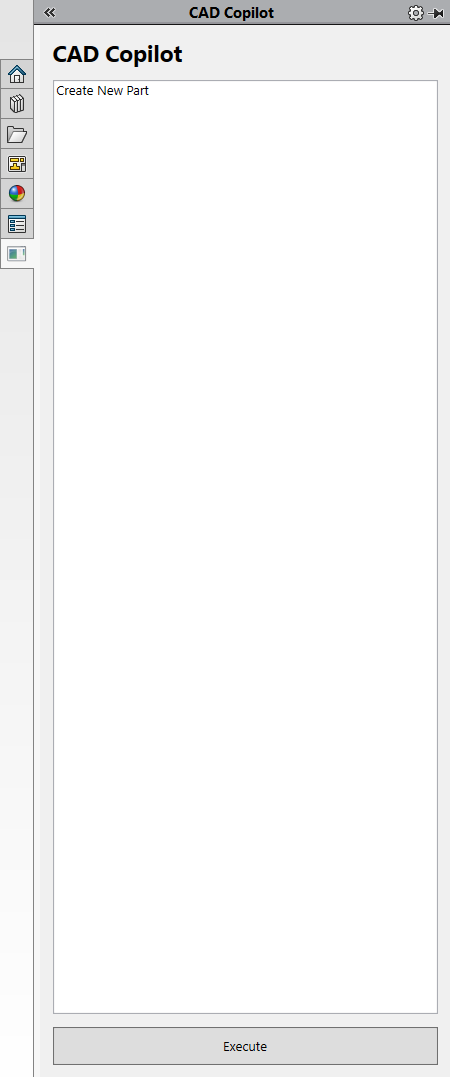
CAD Copilot Task Pane
Why Build It?
There were several reasons behind this experiment.
First, I wanted to learn more about integrating AI into desktop applications.
Second, I was curious whether natural language could become another way of interacting with CAD software.
Finally, I enjoy building small prototypes that explore new ideas and technologies.
CAD Copilot provided an opportunity to combine:
- SolidWorks API
- C#
- WPF
- Artificial Intelligence
into a single project.
Initial Goals
For the first prototype, I intentionally kept the scope small.
The add-in only supports three commands:
- Create Part Document
- Create Assembly Document
- Create Drawing Document
The objective was not to build a complete AI assistant.
Instead, the objective was to validate the core workflow.
Success Criteria
I considered the experiment successful if the following workflow worked reliably:
User Request
      ↓
AI Interpretation
      ↓
Internal Command
      ↓
SolidWorks Action
For example:
Please create a new part document
would eventually become:
CreatePart
which would then create a new Part document inside SolidWorks.
Conclusion
CAD Copilot started as a simple question:
Could users control SolidWorks using natural language?
The first prototype demonstrates that the idea is technically feasible and provides a foundation for future experiments.
In future articles, I’ll explore the individual building blocks used to create the prototype and share the lessons learned along the way.
Key Takeaways
- CAD Copilot started as an experiment.
- The goal is to explore natural language interaction with SolidWorks.
- The initial scope was intentionally limited.
- A small prototype can be an effective way to validate a new idea.
That is all for now.
I hope this guide is helpful to you.
If you find anything to add or update, please let me know by email.
If you found this post useful, please share it with others.
Happy coding!